For grown-ups
For the teachers, coaches and parents setting MatPilot up.
What MatPilot sends, and where
MatPilot runs entirely in the browser. It has no server and no accounts, and it keeps programs, robots and mats in this browser. It sends something only in two cases, and only when someone asks:
- GitHub, when you save or load on your team’s GitHub repository.
- The AI company you chose, when a child presses Ask in the AI helper, after you have turned it on with your own key.
Saving a team’s work on GitHub
Save and Load keep a program, a robot or a mat in a file on this computer, or in one GitHub repository the whole team shares. On the GitHub tab of Save, set the repository once: its name, a folder, your name for each save, and a token.
- The token is needed to save, and to load from a private repository. Under How to get a token, the settings open GitHub’s new token page with MatPilot’s choices filled in (“Contents: Read and write”); choose only your team’s repository.
- On a shared computer, untick Remember the token: it is then forgotten when the page closes.
- MatPilot never silently replaces a teammate’s newer file: it asks first.
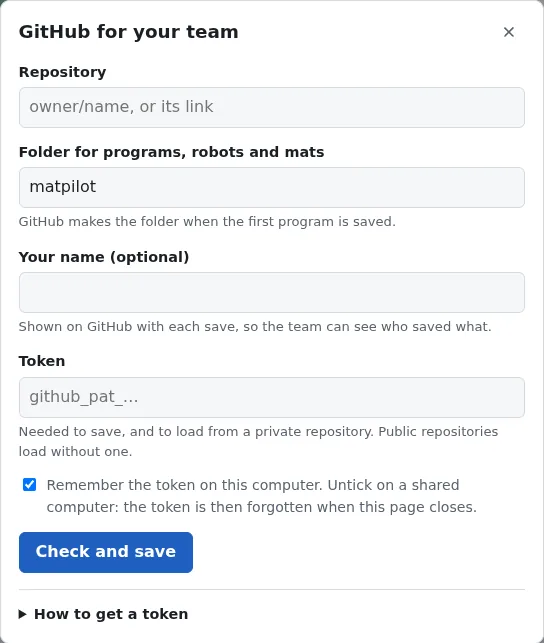
GitHub for your team: set it once on this computer.
The AI helper
The AI helper explains a program, or reviews it, in words a child can follow. It is off until an adult turns it on with an API key from Anthropic, OpenAI or DeepSeek.
- The key goes from this browser straight to that company. MatPilot has no server, and the key is never put in program files or GitHub saves.
- Make a key just for MatPilot, so you can delete it on its own.
- Set a daily limit of questions; the helper counts them in this browser.
- Nothing is sent until a child presses Ask.
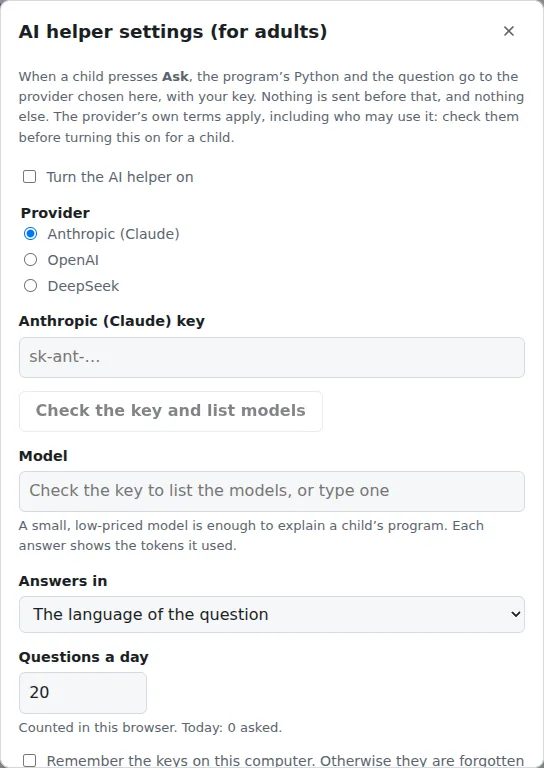
Turning the AI helper on: for an adult, with their own key.
Checking a computer and a hub
The home page checks this browser and connects to a hub to read its name and Pybricks version: Check this computer and your hub. The hardware test goes through every check with a hub and makes a report to send to MatPilot’s maintainers.